Samsung Galaxy self-repair in the UK: the decision at a glance
A cracked screen, loose charging port or damaged back glass can make a Galaxy phone feel like an immediate replacement job. It is worth pausing first. Samsung offers UK customers more than one support route: a Self-Repair programme for some products and faults, plus a guided professional repair booking journey for cases that need diagnosis or service.
The practical question is not simply whether a part can be bought. It is whether your specific model is supported, whether Samsung provides the relevant guide or video, and whether you can complete the work safely and accurately. A straightforward, documented repair may be a reasonable DIY project for a confident owner. An unclear fault, a phone with more extensive damage, or a job outside the available official guidance calls for a different route.
Start by identifying the problem as precisely as you can. Is the display visibly damaged? Is the phone charging intermittently? Is the issue likely to be physical damage, or does it need further troubleshooting? Samsung’s repair service uses a troubleshooting guide to help diagnose the issue before taking a customer through booking if a repair is needed. That makes it a useful alternative when the cause is uncertain.
Repair value matters too. Consider the condition of the phone, the likely scope of the work and whether an official self-repair path exists for the device. A repair can be preferable to replacement when it restores a phone you otherwise want to keep, but DIY should be a considered choice rather than the default response to any damage.
What Samsung self-repair support can offer
Samsung’s UK Self-Repair programme is designed to give owners of some supported products access to an official route for carrying out certain repairs themselves. Samsung states that customers can buy original spare parts for Samsung products, including Galaxy smartphones, tablets and laptops. For some products, it also makes repair instructions available and offers repair kits.
For a suitable Galaxy repair, that combination is useful. Genuine parts, a documented procedure and the right kit can make the work more structured than trying to source an unspecified component and follow a generic video. Samsung also provides how-to video guides for Galaxy smartphones and laptops, including examples covering back glass, phone screens, charging ports, diagnostics and selected Galaxy devices.
The guides are not a guarantee that every repair will be easy, or that every model has the same options. Treat them as a way to check whether Samsung has documented a route for your device before you buy anything or start opening the phone. Search by model code or product category for the applicable manuals and repair guides, then read the whole procedure rather than relying on a short clip or a single step.
Official documentation can also help you plan the job realistically. A guide may show the order of disassembly, the tools involved and the points at which precision matters. If the process appears beyond your tools, confidence or available time, stop there and use Samsung’s professional repair route instead.
For owners who do proceed, the sensible approach is conservative: confirm the exact model, use the specific official materials available for it, work through the instructions methodically and avoid treating one Galaxy model’s guide as proof that another has the same repair path.
Limits, warranty boundaries, and when to stop
Self-repair is not a blanket permission to repair every Galaxy fault. Samsung says its programme lets customers repair some damage to Samsung products themselves and that genuine parts and repair instructions or kits are available only for some products. Availability should therefore be checked for the exact device and repair before a DIY attempt is planned.
The warranty boundary deserves particular care. Samsung’s Self-Repair information states that damage caused by an attempted repair performed by anyone other than a Samsung Authorised Service Centre will not be covered by the warranty. That is different from assuming that every existing warranty right automatically disappears, but it is still an important risk: if an attempt causes additional damage, you should not expect Samsung’s warranty to cover that resulting damage.
Use the official instructions as a decision point, not just a set of directions. If there is no applicable guide, if the steps do not match the fault, or if the repair becomes more complex than expected, do not improvise. Professional diagnosis is especially valuable when the issue is unclear, when more than one function has failed, or when the problem may extend beyond the visibly damaged part.
Do not begin a repair simply because a replacement part appears available. Check whether Samsung’s resources cover the task, whether you can follow the documented process, and whether the potential value of the repair justifies the risk. Where those answers are not clear, Samsung’s repair booking and expert-support route provides a more appropriate next step.
How to choose between DIY repair, Samsung repair, and replacement
AI-generated generic editorial illustration — not a retailer product photo and does not depict the reviewed product or service. Illustration supporting this section.
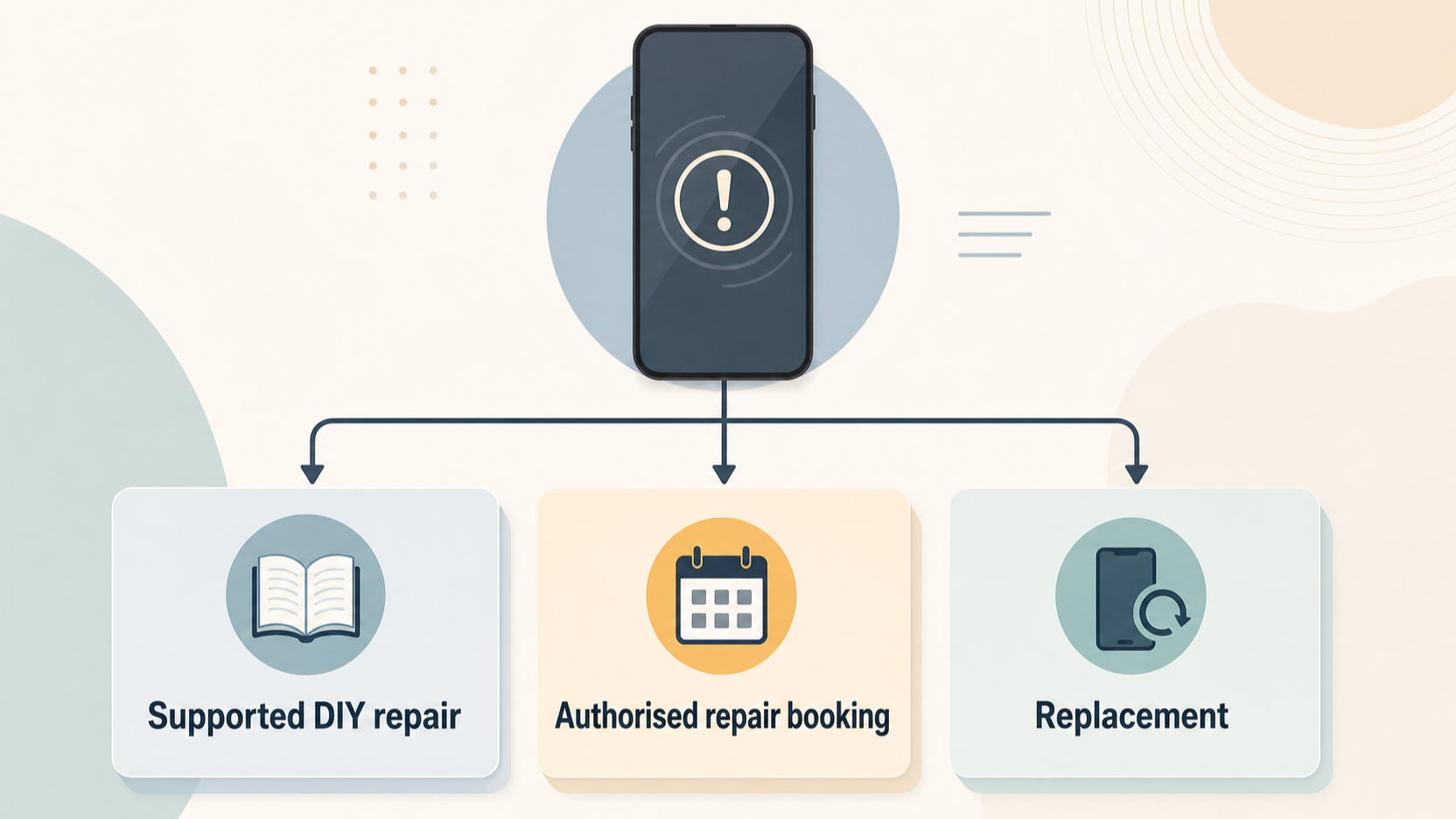 Use a simple sequence to choose the route that fits your phone.
First, identify the fault. Visible damage such as a broken screen or back glass may be easier to describe than an intermittent charging or performance problem. Where the cause is uncertain, Samsung’s professional repair journey starts with a troubleshooting guide and can move on to booking if a repair is needed. That route is preferable to guessing at which component is responsible.
Second, check the official Self-Repair resources for your exact product. Samsung says it offers genuine parts for Galaxy smartphones, tablets and laptops, and provides repair instructions, kits and video guides for some products. Find the model-specific manuals or guides, then make sure the repair you are considering is actually covered by the information available. If you cannot verify that, do not assume a similar-looking model follows the same process.
Third, judge the complexity honestly. A DIY option is strongest when the fault is understood, the phone is supported, official guidance is available and you can follow it without shortcuts. You should also be comfortable with the consequences of an unsuccessful attempt: Samsung says damage caused by a repair attempt outside a Samsung Authorised Service Centre is not covered by the warranty.
Fourth, use professional repair when the diagnosis is unclear, the job is not clearly supported, or the repair risk is not acceptable. Samsung’s repair booking flow is intended to guide customers through troubleshooting and, where required, repair booking whether the product is in or out of warranty. It also points customers to an expert-support route when they need help resolving an issue.
Finally, consider replacement only after comparing it with the likely repair route. A phone that still suits your needs may be worth keeping if there is a sensible, supported repair path. But replacement can be the more practical option when the device has multiple issues, the repair is not supported or the overall value no longer makes sense. The key is to decide from the condition of the individual phone, not from a blanket rule about DIY.
Before choosing a route, check Samsung’s current support information for your exact Galaxy model and issue.
Frequently Asked Questions
Which Samsung Galaxy repairs can I do myself in the UK?
Samsung says its UK Self-Repair programme allows customers to repair some damage to some Samsung products themselves, including some of the latest Galaxy mobile devices. Check the available parts, manuals, repair guides and video guidance for your exact model before treating a repair as suitable for DIY.
Does a self-repair affect my Samsung warranty?
Samsung states that damage caused by an attempted repair by anyone other than a Samsung Authorised Service Centre will not be covered by the warranty. Read that as a concrete risk of causing additional, uncovered damage; if warranty protection is central to your decision, use Samsung’s professional repair route or seek clarification before attempting the work.
Can I buy genuine Samsung replacement parts for a Galaxy phone?
Samsung says customers can buy original spare parts through its Self-Repair programme, including parts for Galaxy smartphones, tablets and laptops. Parts availability and the related repair resources can vary by product, so confirm your specific model and repair before ordering.
When should I book a Samsung repair instead of attempting a DIY fix?
Book or seek expert support when you cannot identify the fault confidently, when Samsung does not provide a clear self-repair path for the model and issue, or when you are not comfortable completing the documented procedure. Samsung’s repair service uses troubleshooting to help diagnose a problem and can then guide you through booking when a repair is needed.
How do I find the right manual or repair guide?
Start with the exact model code shown in your phone settings, on its packaging, or on the device itself, then use Samsung’s manual and repair-guide search. A visually similar Galaxy model may have different internal parts, fasteners, screens or repair steps, so do not rely on a guide chosen only by the product family name. Read the complete procedure before buying parts or opening the phone. Check that you understand the required tools, the point at which the battery is disconnected, and any warnings that apply to the job. If the instructions do not clearly match your model and fault, pause and use professional support instead.
Sources
Related reading
- Best phones for repairability in the UK: comparing Apple, Samsung, Google Pixel and Fairphone repair support
- Apple vs Samsung self-repair: parts, manuals, tools, diagnostics and practical limits for UK phone owners
- Apple iPhone repair support review: genuine parts, tools, manuals, calibration and limitations
- How screen, battery and charging-port repairs differ in difficulty, parts support and post-repair checks
Editorial information: About our editorial team · Read our editorial policy · Read our affiliate disclosure.